> For the complete documentation index, see [llms.txt](https://docs.easycalling.easyplatform.app/llms.txt). Markdown versions of documentation pages are available by appending `.md` to page URLs; this page is available as [Markdown](https://docs.easycalling.easyplatform.app/getting-started/progressive-web-application-and-agent-overview.md).
# Progressive Web App
Follow these steps to configure and enable Easy Calling in your tenant
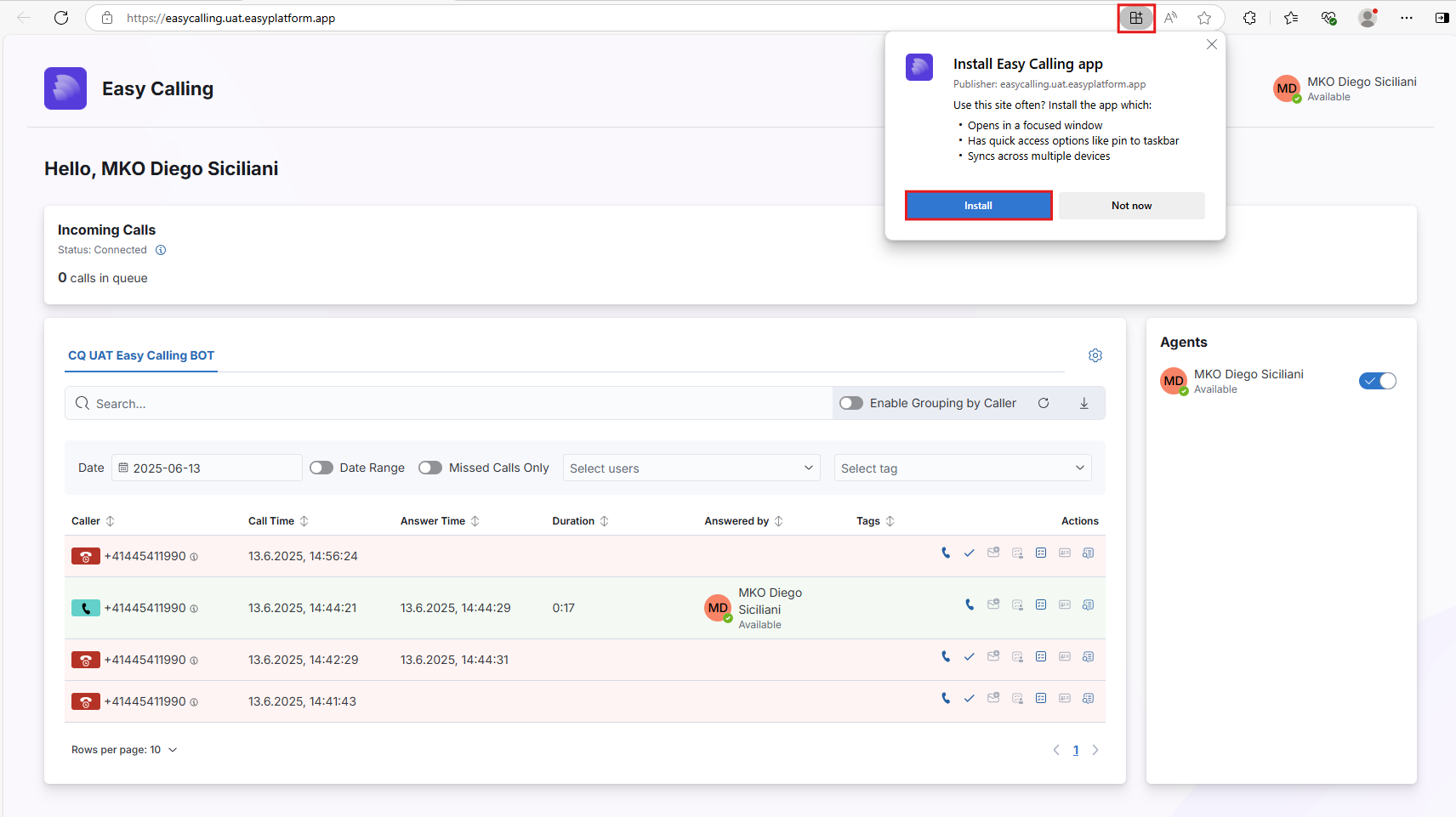
Please follow the installation guidelines to use Easy Calling in your organization as a progressive web application outside of Microsoft Teams
### Step-by-Step Installation Guide
1. Open the web version of Easy Call Report: [http://easycalling.easyplatform.app/](https://easycalling.easyplatform.app/)
2. Log in with your user
3. Click on the following icon to install the Progressive Web Application
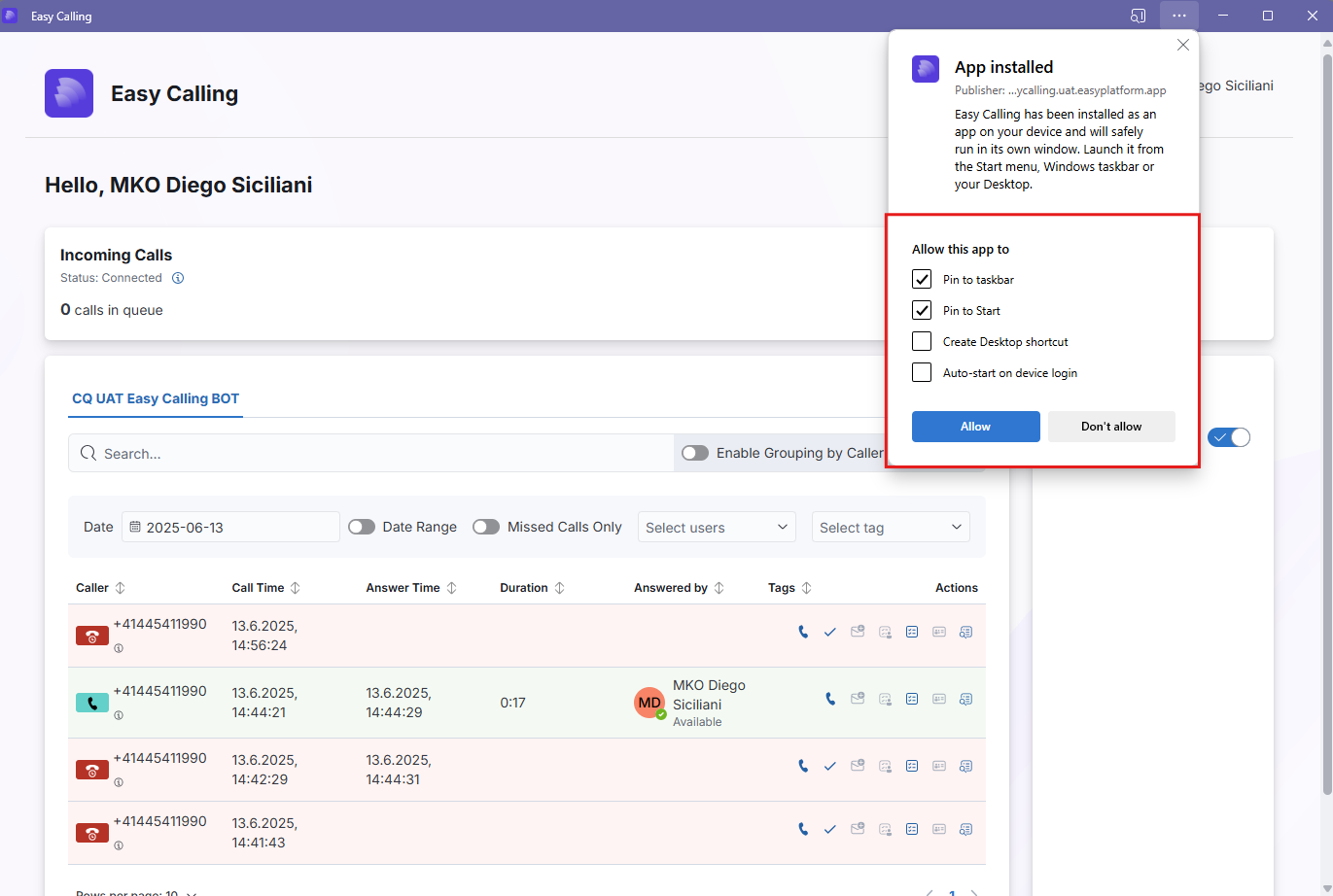
4. Once the Progressive Web Application has been installed, you can now store the icon in the various locations
{% hint style="success" %}
You have now successfully installed the Prorgessive Web Application
{% endhint %}